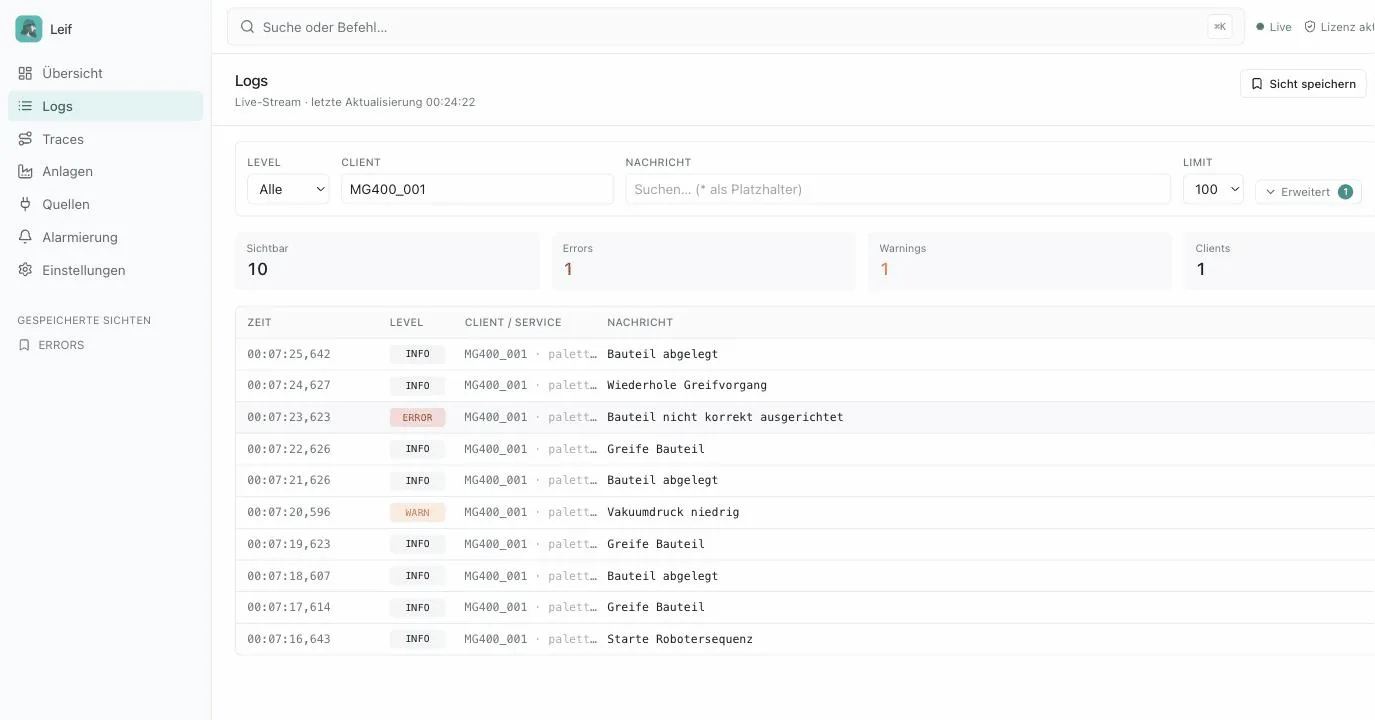
Logging with Dobot Lua is the foundation for quality assurance, error analysis and traceable process documentation in automated manufacturing. This article covers both routes: fast local logging directly on the robot, and the central solution built on Leif, the log and asset server from needful-apps. With Leif you see the messages from every Dobot robot live in the browser, on the floor plan of your plant and, if you want, as an alert straight in Microsoft Teams.
Why logging is essential on Dobot robots
As soon as a Dobot runs in production, you want to answer three questions at any moment: what did the robot do, and when? Why did a cycle fail? And is everything running right now without anyone standing next to the machine? Without structured logging you answer those questions with assumptions, with logging you answer them with data. That pays off directly in quality evidence for your customers, in traceability of individual workpieces and in fast troubleshooting during shift operation.
Quick start: local logging with Dobot Lua
For a first test, local logging directly in DobotStudio Pro is enough, with no additional infrastructure. We add a small function to Global.lua that writes every message to the console and also stores it in a file on the robot:
-- Global.lua: simple local logging
LOG_FILE = "/mnt/sdcard/logs/robot_log.txt"

function log_local(level, message)
    local line = "[" .. os.date("%Y-%m-%d %H:%M:%S") .. "] [" .. level .. "] " .. message
    print(line)  -- output in the DobotStudio log panel
    local f = io.open(LOG_FILE, "a")
    if f then
        f:write(line .. "\n")
        f:close()
    end
end
Where local log files reach their limits
Local logging works as long as you run a single robot and walk over to the machine to read the file. In practice that breaks down quickly: every robot writes its own file in its own format. When something goes wrong, nobody notices in time that the line is down three stations away. And when the audit arrives, hours go into collecting text files from different controllers. We built Leif for exactly this problem.
Leif: the central log server for your production
Leif is a self-hosted log and asset server, developed for and tailored to robotics and manufacturing environments. Your Dobots, PLCs and peripheral devices send their messages to Leif via TCP or REST:
- Live view in the browser: new logs appear in real time, with full text search and filters by robot, level and station.
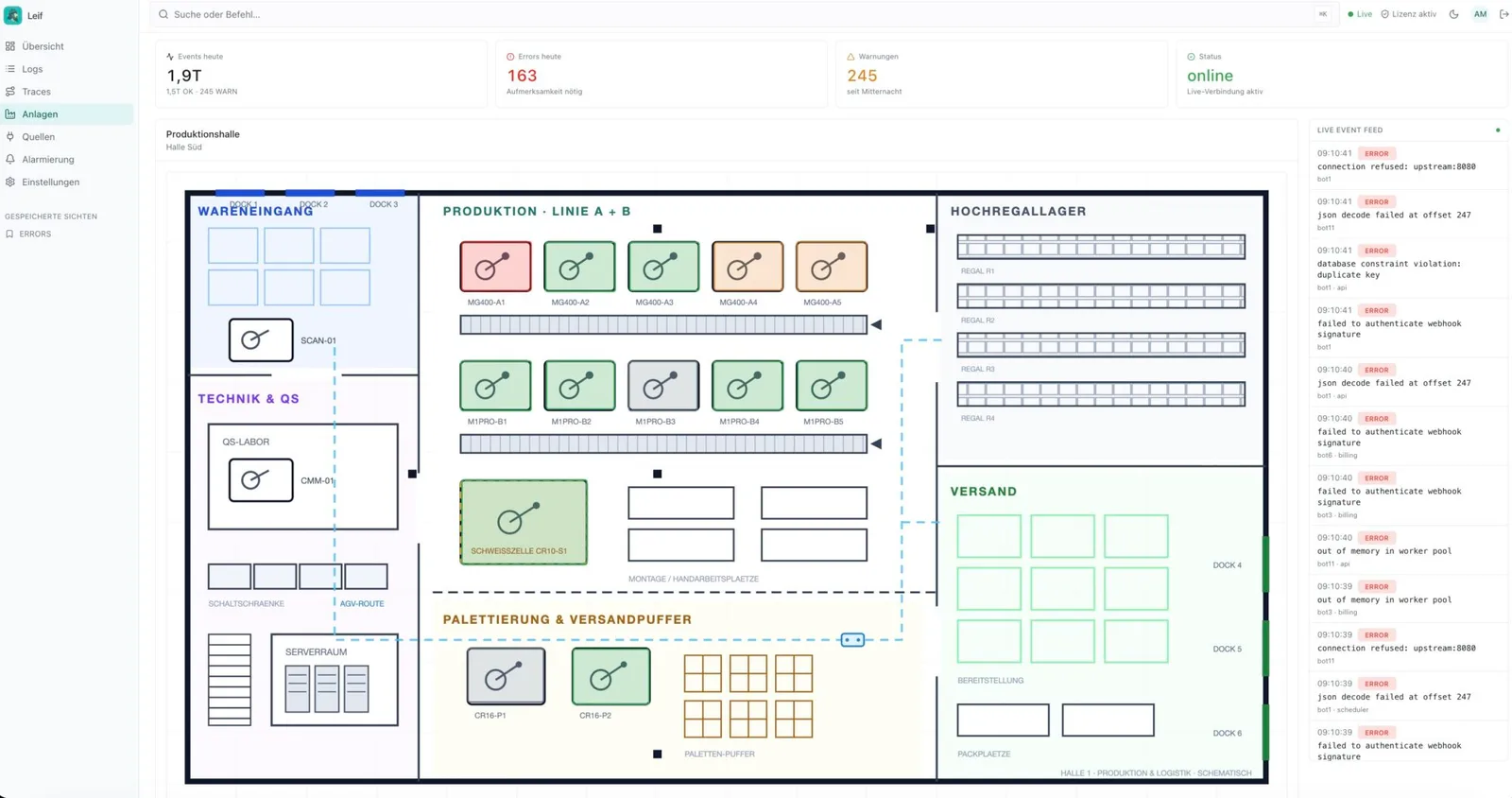
- Live floor plan: upload your layout, place one marker per robot, see the status at a glance, also as a TV wallboard.
- Alerts in Microsoft Teams: critical messages land in the right channel immediately, with deduplication and cooldown against alert floods.
- Traceability: trace IDs let you follow related sequences across several stations.
- Grafana and Metabase ready: Loki compatible API, PostgreSQL storage for in-depth SQL analysis.
- 100 percent self-hosted: Docker Compose, no cloud, no data handed to third parties.
Connecting a Dobot to Leif
In the Leif admin panel you create one client_id with its own api_key per robot. Compromised keys can then be revoked centrally without touching any other robot. The logging code lives entirely in Global.lua, fault tolerant and with short timeouts so that the robot never waits for logging:
-- Leif logging for Dobot (Global.lua)
LEIF_ENABLED   = true              -- set to false for offline tests
LEIF_HOST      = "192.168.10.50"   -- IP or hostname of the Leif server
LEIF_PORT      = 49090             -- TCP log ingest (Leif default)
CLIENT_ID      = "MG400_001"       -- created in the Leif admin panel
API_KEY        = "your-api-key"    -- generated in the Leif admin panel
SOCKET_TIMEOUT = 0.2               -- seconds, the robot must never wait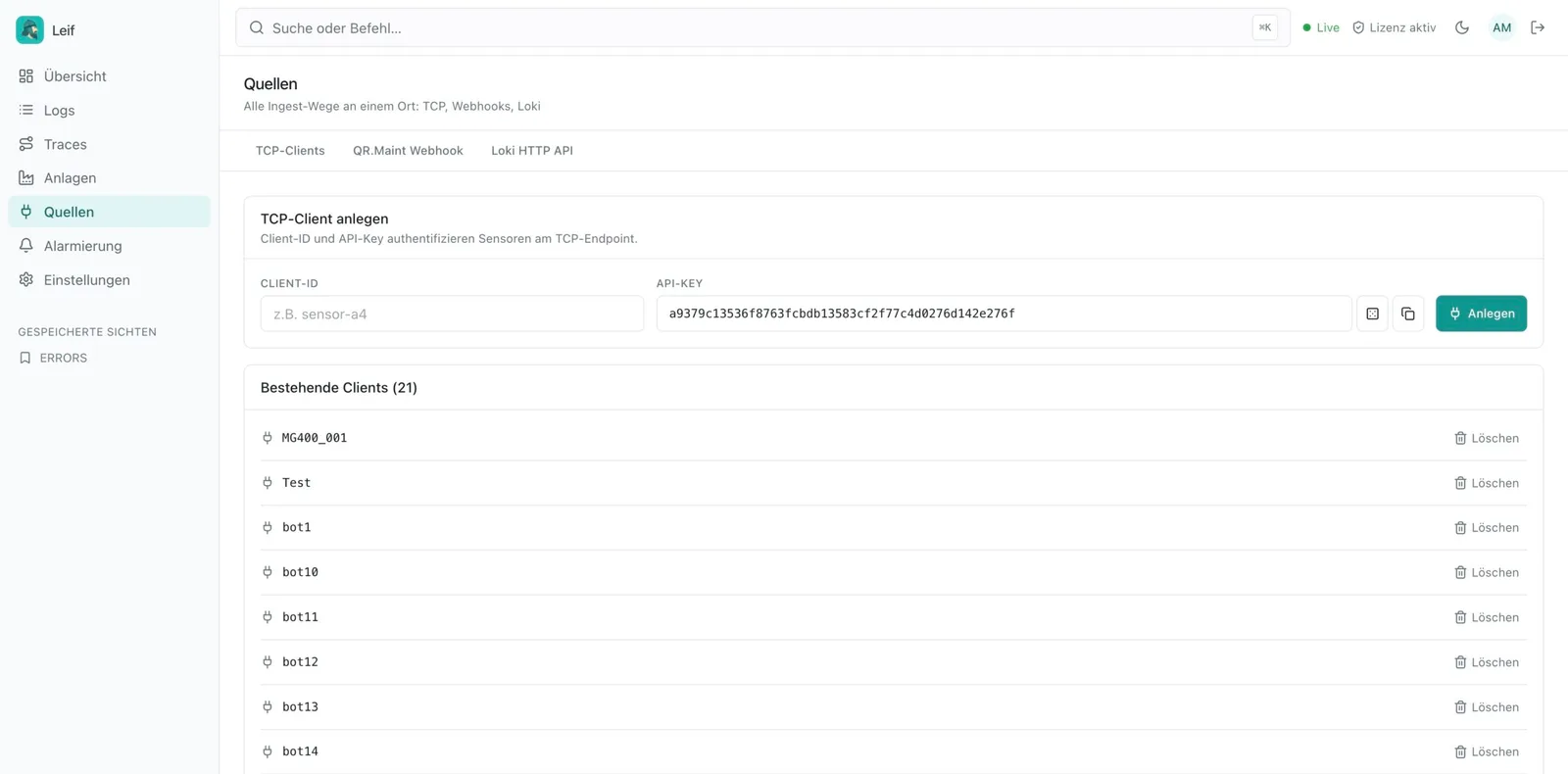
Alerts straight into Microsoft Teams
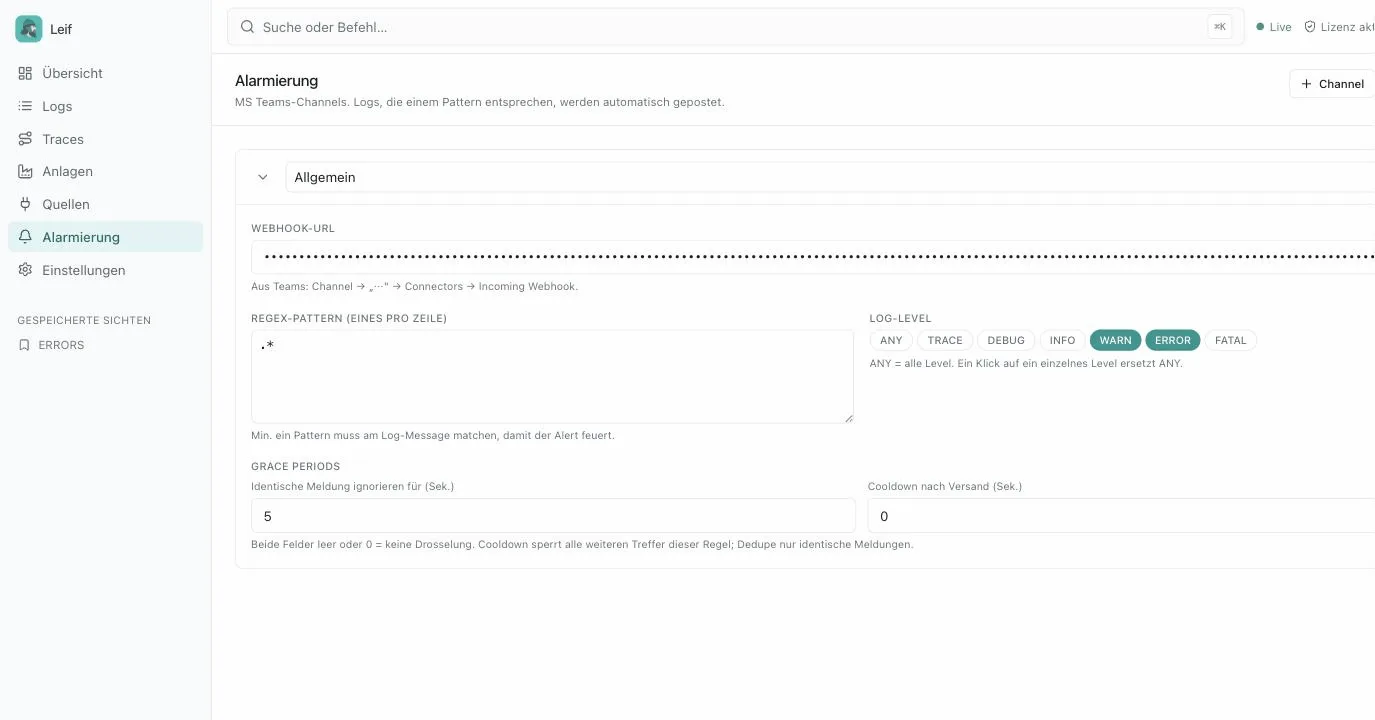
Critical messages should not sit in the log until somebody looks: in Leif you define regex patterns, log levels and grace periods per Teams channel. Deduplication and cooldown prevent alert floods, so the shift sees immediately when a station needs attention.
Frequently asked questions
How do I log to a file in Dobot Lua?
With io.open in append mode: a small function in Global.lua writes every message with a timestamp to the console via print and additionally to a file, for example under /mnt/sdcard/logs/. For production use, log rotation and protection against concurrent file access belong in the picture as well.
How do I monitor several Dobot robots centrally?
With a central log server such as Leif: every robot sends its messages to the server via TCP or REST. There you get a live view in the browser, a floor plan, full text search, Teams alerts and a Loki compatible API for Grafana.
Does logging block the robot?
No, not when it is implemented properly: the Leif integration uses short socket timeouts (0.2 seconds) and is fault tolerant. If sending fails, the robot program simply continues without any delay.