Camera replay
The cell camera delivers the video of the incident automatically. While scrubbing, the image jumps exactly to the cursor time, from the gripper to the signal tower.
Leif is the self-hosted log and asset server for robotics and manufacturing environments. Your Dobots, PLCs and peripherals send their messages to Leif via TCP, REST, MQTT, syslog, the Loki API or OpenTelemetry (OTLP). You see everything live in the browser, on the facility map and as an alert in Teams, by email or via webhook. And when a station stops, the timeline replays camera footage, signals and the program line of the incident in a single view.
 AI-generated
In Leif an incident is not a single log entry but a complete replay. The timeline puts one cursor across everything that belongs to the incident: the camera replay of the cell, every DI and DO signal with a plain name instead of a pin number and the Lua program line that was running at that exact moment. You drag the cursor and everything moves in sync.
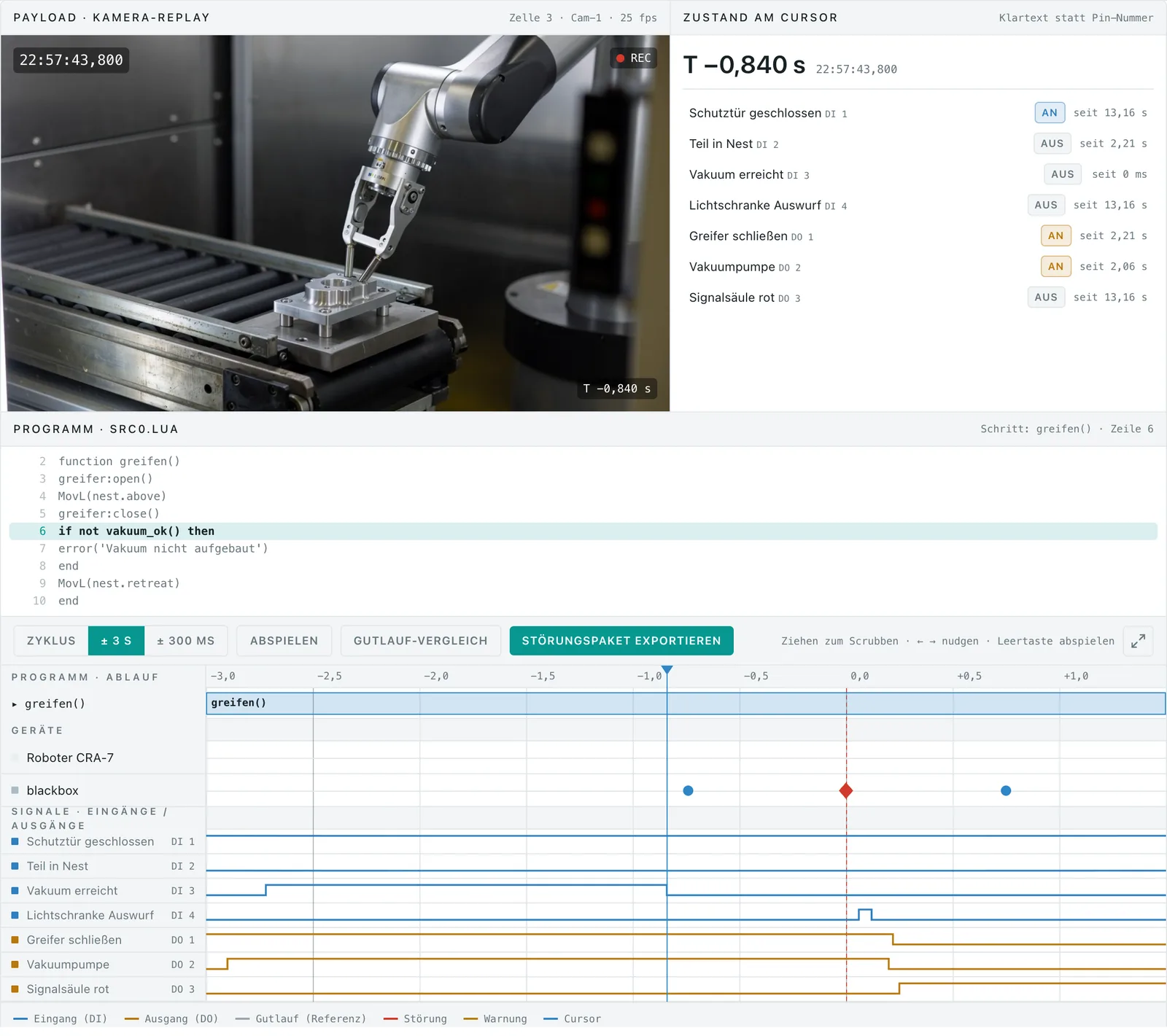
The cell camera delivers the video of the incident automatically. While scrubbing, the image jumps exactly to the cursor time, from the gripper to the signal tower.
Instead of DI 3 you read vacuum reached: name your DI and DO pins once, then the timeline and the live view show the plain name everywhere.
The timeline shows the work step, line number and source code of the robot program at the cursor, like a debugger for the cell.
Reference traces from error-free cycles reveal deviations at a glance. Export the incident package as a file for your supplier or maintenance team.
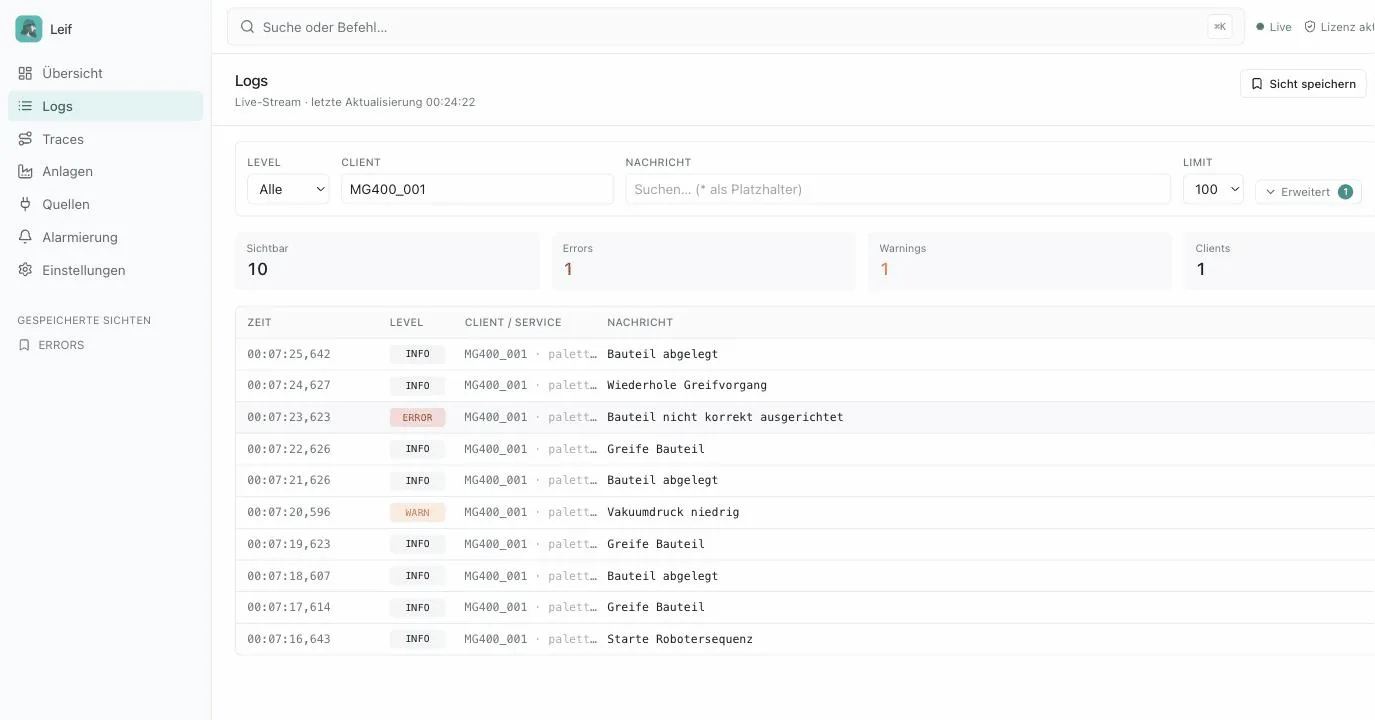
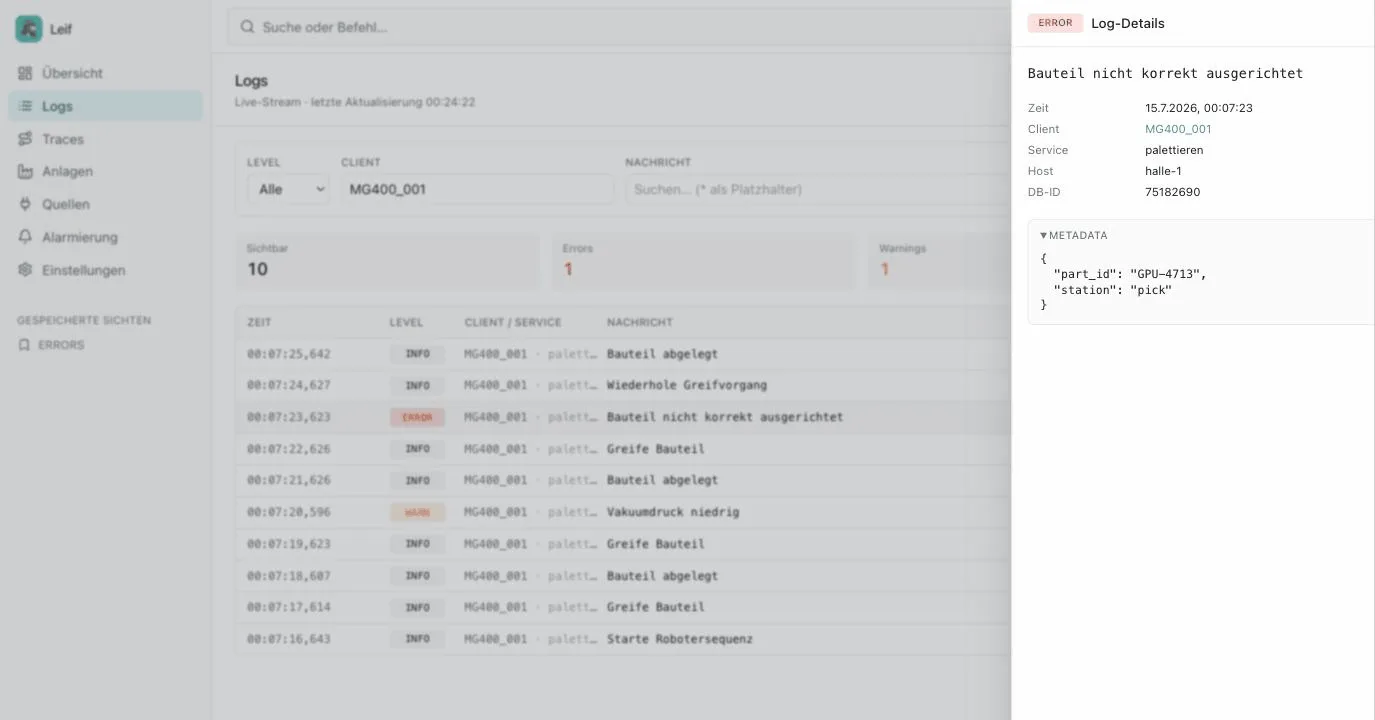
New logs appear in real time, with full-text search and filters by robot, level and station. Images, videos and dumps attach to the log entry as payloads. Export filtered searches as CSV or JSON.
Native TCP protocol, REST, MQTT, Loki API, OpenTelemetry (OTLP) and syslog: robots, PLCs, sensors, switches, firewalls and modern applications reach Leif without detours. Copy-paste-ready examples ship right inside the interface.
Leif accepts MQTT directly, with no broker of your own on the shop floor. Every device registers a farewell message when it connects: if the connection drops, Leif reports the outage itself, the alert goes out and the facility map turns red. TCP clients too.
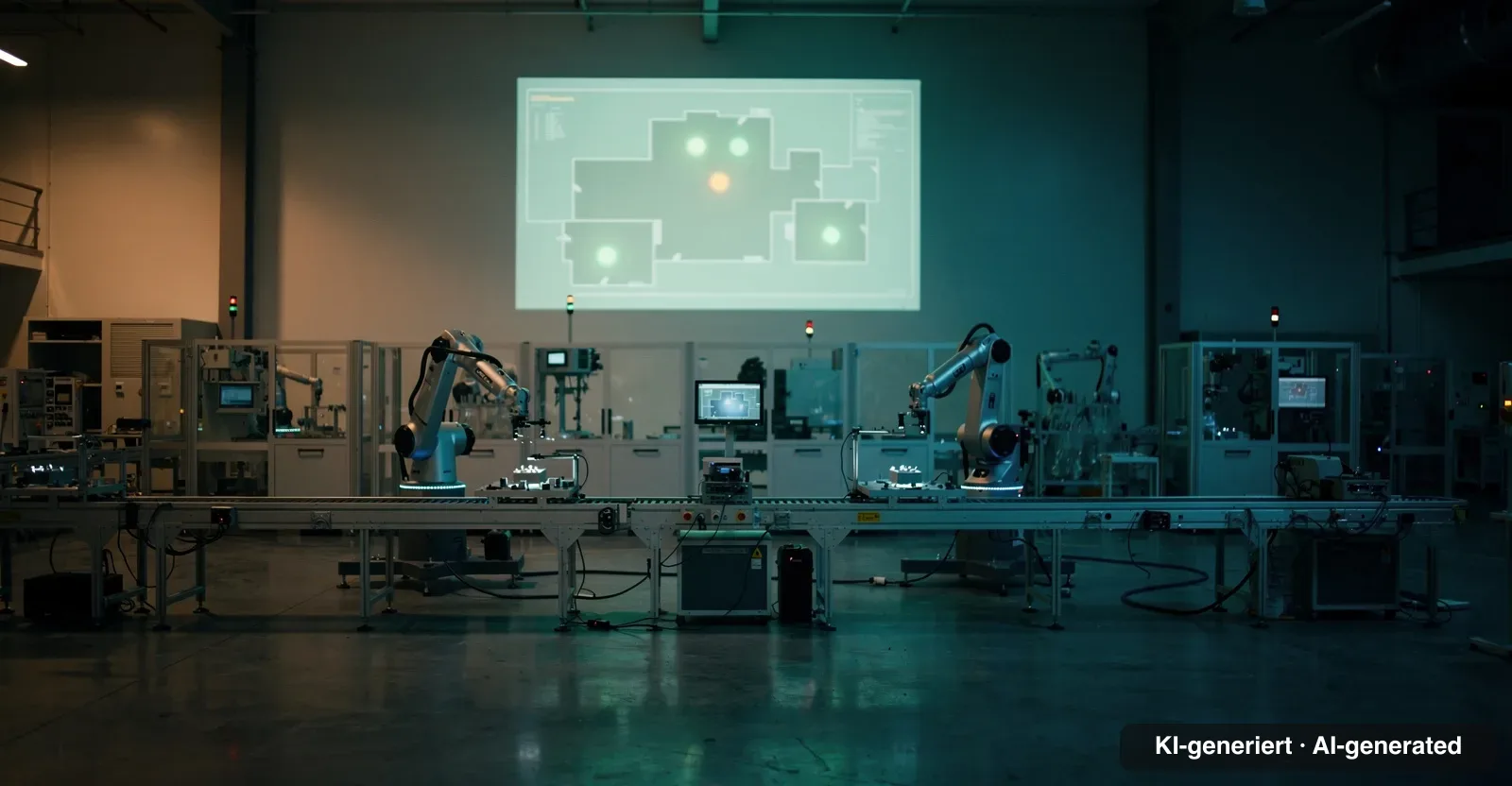
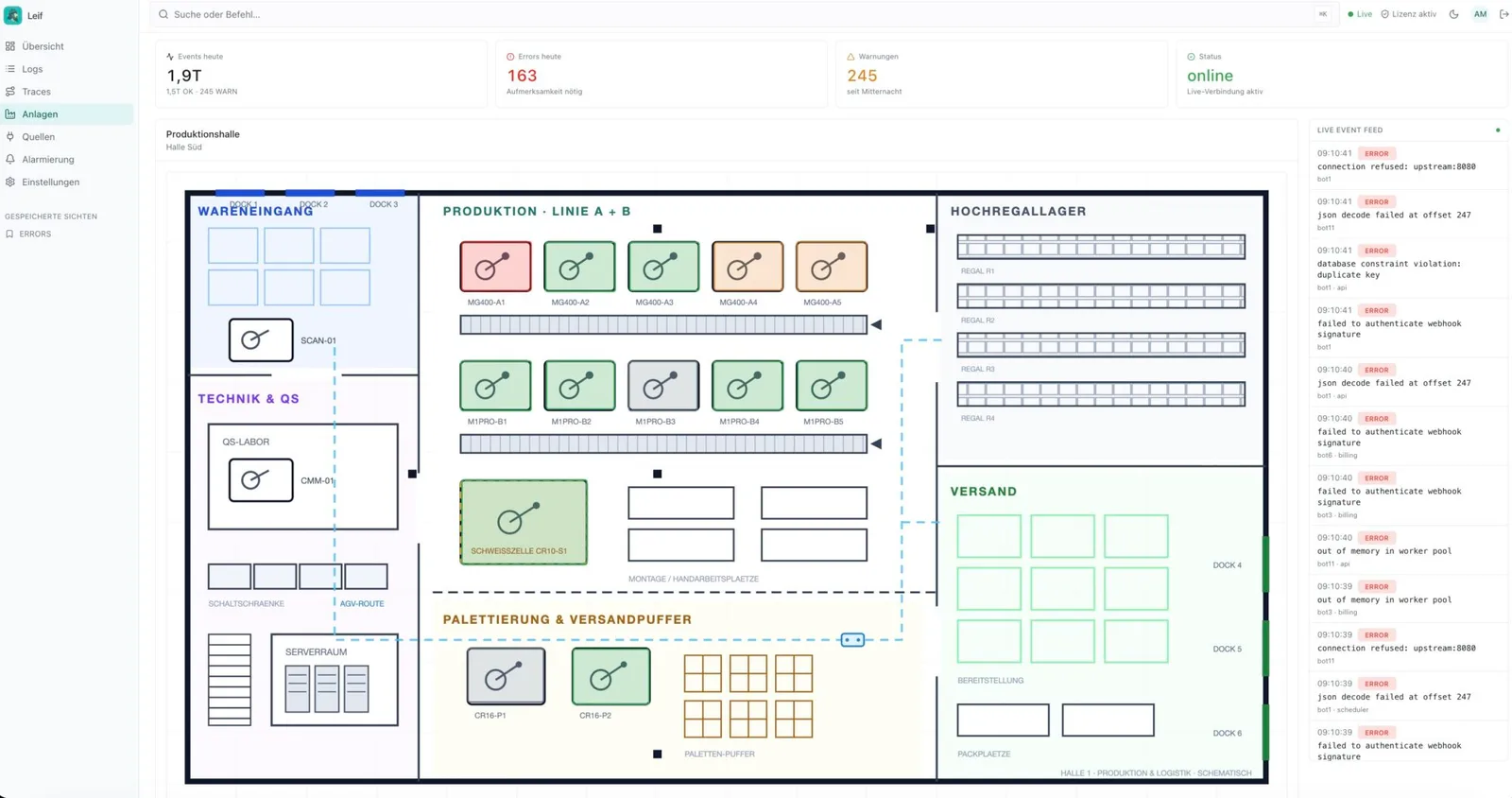
Upload your floor plan and place a marker per robot: green runs, amber warns, red needs attention. Ideal as a TV wallboard on the shop floor.
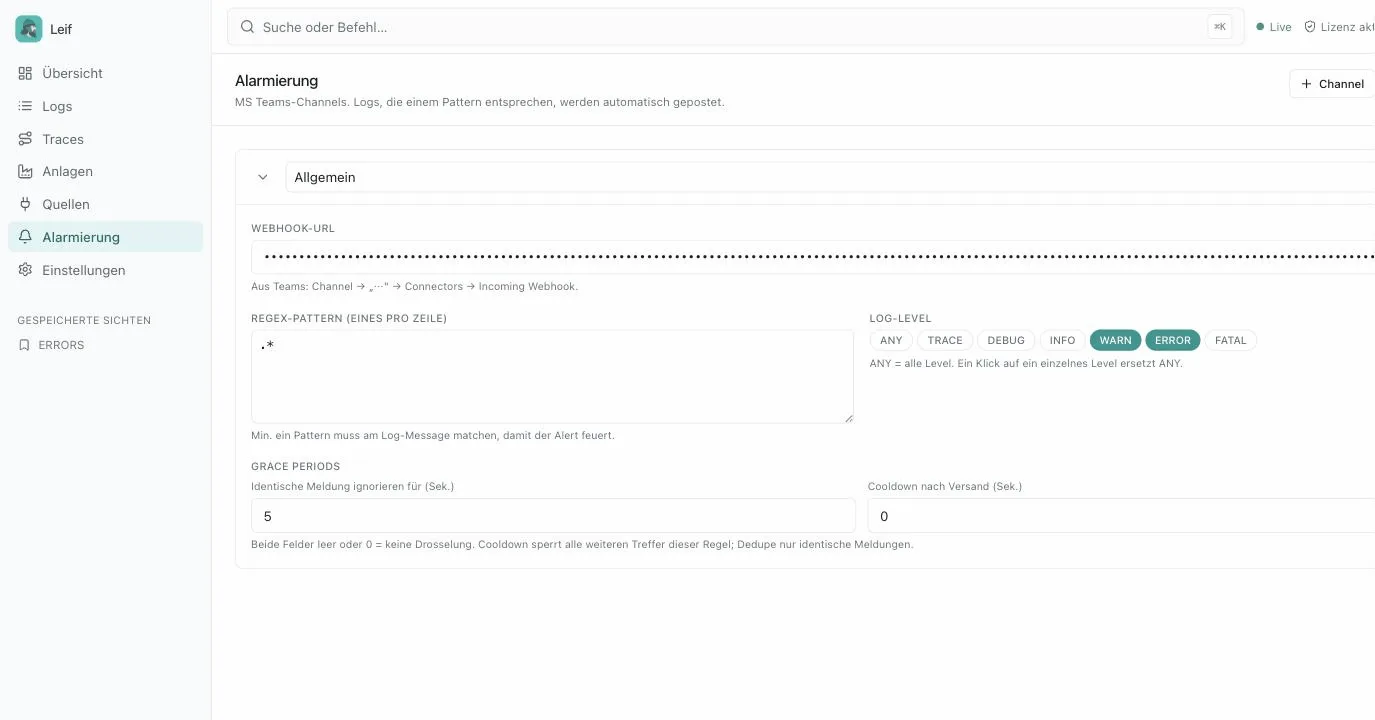
Critical messages reach the Teams channel, the email inbox or land as a JSON webhook in n8n and andon systems. Regex patterns per channel, deduplication and cooldown against alert floods.
Trace IDs let you follow connected processes, for example a complete production order across several stations. Every incident opens straight in the timeline.
Loki-compatible API for existing dashboards, PostgreSQL storage for deep SQL analysis.
The interface speaks German, French and English. Every user picks their own language, ideal for plants with international teams.
Leif installs updates with one click from the interface. Single sign-on via Microsoft Entra ID, Keycloak or Authentik, retention policies clean up logs and videos automatically.
Docker Compose, no cloud, no data sharing. Your production data stays in your plant.
We show you Leif in a video call, on request with your own floor plan and sample data from your production. No sales pressure: you get in touch, we demonstrate, you decide.
To see what connecting a robot looks like in practice, read our article Logging with Dobot Lua (German).
Leif is a self-hosted log and asset server for robotics and manufacturing environments. Robots, PLCs and peripheral devices send their messages to Leif via TCP, REST, MQTT, syslog, the Loki API or OpenTelemetry (OTLP), where you get a live view, a shop floor map, alerts and analytics.
Exclusively on your side: Leif runs via Docker Compose on your own infrastructure, stores data in PostgreSQL and does not send anything to a cloud.
Yes. Leif provides a Loki-compatible API for existing Grafana dashboards and PostgreSQL storage for deep SQL analysis, for example with Metabase.
Anything that speaks TCP, REST, MQTT, syslog, Loki or OpenTelemetry (OTLP): Dobot robots (CR series, M1 Pro, MG400), PLCs and test rigs via TCP or REST, sensors and gateways via MQTT, switches, firewalls and UPSes via syslog, modern applications and collector pipelines via OTLP. For each device you create a client ID with its own API key in the admin panel, and copy-paste-ready examples ship right inside the interface.
No. Leif accepts MQTT messages directly (MQTT 3.1.1), so you do not have to run an additional Mosquitto or EMQX. Devices authenticate with the same client ID and API key as the TCP ingest. If you also want to distribute messages to other systems, keep a dedicated broker, because Leif receives data rather than forwarding it.
Through a farewell message the device registers when it connects (last will). If the connection drops or the heartbeat stops, Leif publishes that message itself as an incident, by default with level ERROR. Alerts go out and the facility map turns red without the failed device being able to report anything. This works for MQTT devices and for TCP clients.
Through three channels: Microsoft Teams, email via your own SMTP server and generic JSON webhooks for n8n, Node-RED or andon systems. Each channel supports regex patterns, log level filters, deduplication, cooldown and an all-clear logic against alert floods.
The timeline is the incident replay of Leif: one cursor moves in sync across the camera replay of the cell, every DI and DO signal with a plain name and the Lua program line that was running at the moment of the incident. It also offers a good-run comparison with reference traces and exports an incident package as a file.
The connecting client, for example Sebastian, our client for Dobot cells, buffers the cell camera and automatically uploads the video as an attachment to the incident trace. Leif links it with the signals and the program code, and while scrubbing the image jumps exactly to the cursor time.
The interface is available in German, French and English. Every user picks their own language in the header and the setting is stored per browser.
Leif installs updates with one click from the interface, the bundled updater sidecar pulls the new Docker image and restarts the service. Retention policies automatically clean up old logs, video attachments and incident data, and you define the duration in the settings.