
Almost every company runs a second IT landscape that appears in no inventory: the Excel file for shift planning, the Access database from 2009 for test equipment management, the macro that only keeps working because nobody touches it. Gartner estimates that such shadow IT accounts for 30 to 40 percent of IT spending in large enterprises. This article shows why the sprawl happens, what it really costs and how to end it without taking their tools away from business departments.
Why shadow IT happens: for good reasons
Shadow IT is rarely malice. It happens because a business department has a real problem and the official solution takes too long, costs too much or simply does not exist. So someone builds a spreadsheet. It works, gets shared, gains macros, gets copied, and two years later it is a tool three departments depend on. According to a Gartner survey, 41 percent of employees already acquire, modify or build technology their IT knows nothing about, and the trend is rising.
The need behind it is legitimate: business departments know their processes best and want to digitalize them. That is exactly why pure prohibition fails. Blocking tools does not restore control, it only produces better hidden spreadsheets.
What the sprawl really costs
The price rarely shows up immediately, but all the more clearly when things go wrong. Raymond Panko's research on spreadsheet quality reaches the same conclusion across many studies: roughly 94 percent of audited workbooks contain at least one error, with an error rate of about 5 percent per formula cell. Not because the authors are sloppy, but because nobody tests, reviews or versions spreadsheets.
Well-known cases show how expensive this gets: in 2020, Public Health England lost 15,841 Covid cases because an old Excel format simply stopped accepting data at around 65,000 rows, without any error message. JPMorgan lost more than six billion dollars in 2012, driven in part by a risk model built on spreadsheets with manual copy-paste steps. And the influential study by economists Reinhart and Rogoff backed austerity policies worldwide for years, until a simple range error in their spreadsheet surfaced in 2013.
Then there are the silent costs: duplicate data entry, knowledge loss when people leave, no backups, no access control, no traceability. At the latest when GDPR questions or an audit arrive, the handy spreadsheet becomes a compliance problem.
The reflex to ban more solves nothing
Many companies respond with policies: no macros, no local databases, no unauthorized tools. The result is predictable, because the underlying need remains. The processes that used to run in Excel move to private cloud accounts or the next unobserved tool. Generative AI is currently making this worse: Gartner expects that by 2030 around 40 percent of organizations will suffer security or compliance incidents caused by unapproved AI use.
The better question is not "How do we stop business departments from building?" but "Where may they build without it becoming dangerous?". The trend clearly points that way: Gartner estimates that around 70 percent of new enterprise applications are now created with low-code or no-code approaches, driven by people outside classic IT.
Guardrails instead of bans: what an internal app platform must deliver
An internal app platform gives the energy of business departments a safe place. For that to work, and not just create new shadow IT under a different name, it needs five things in our view:
- One central entry point with single sign-on: one login, clear group permissions, no shared passwords in team chats.
- A real database instead of file shares: central data, row-level access rules, versioned changes to the structure.
- A defined path to production: development, testing and approval are separate steps, and a professional looks at every app before go-live.
- Operations included: backups, monitoring, updates and security scans run centrally, not per app and not on demand.
- Traceability: who changed what, who approved what, which version is running? Without an audit log it remains sprawl.
What the path looks like in practice
The transition succeeds not as a big bang but app by app. What works well: start with a process that hurts, such as shift planning or test data collection. The business department describes what the tool must do and builds it on the platform, today AI-assisted right in the browser. Before go-live, automated checks and a human review examine security and data access. After that the app runs centrally, with backups, monitoring and an owner recorded in the system instead of in hallway conversations.
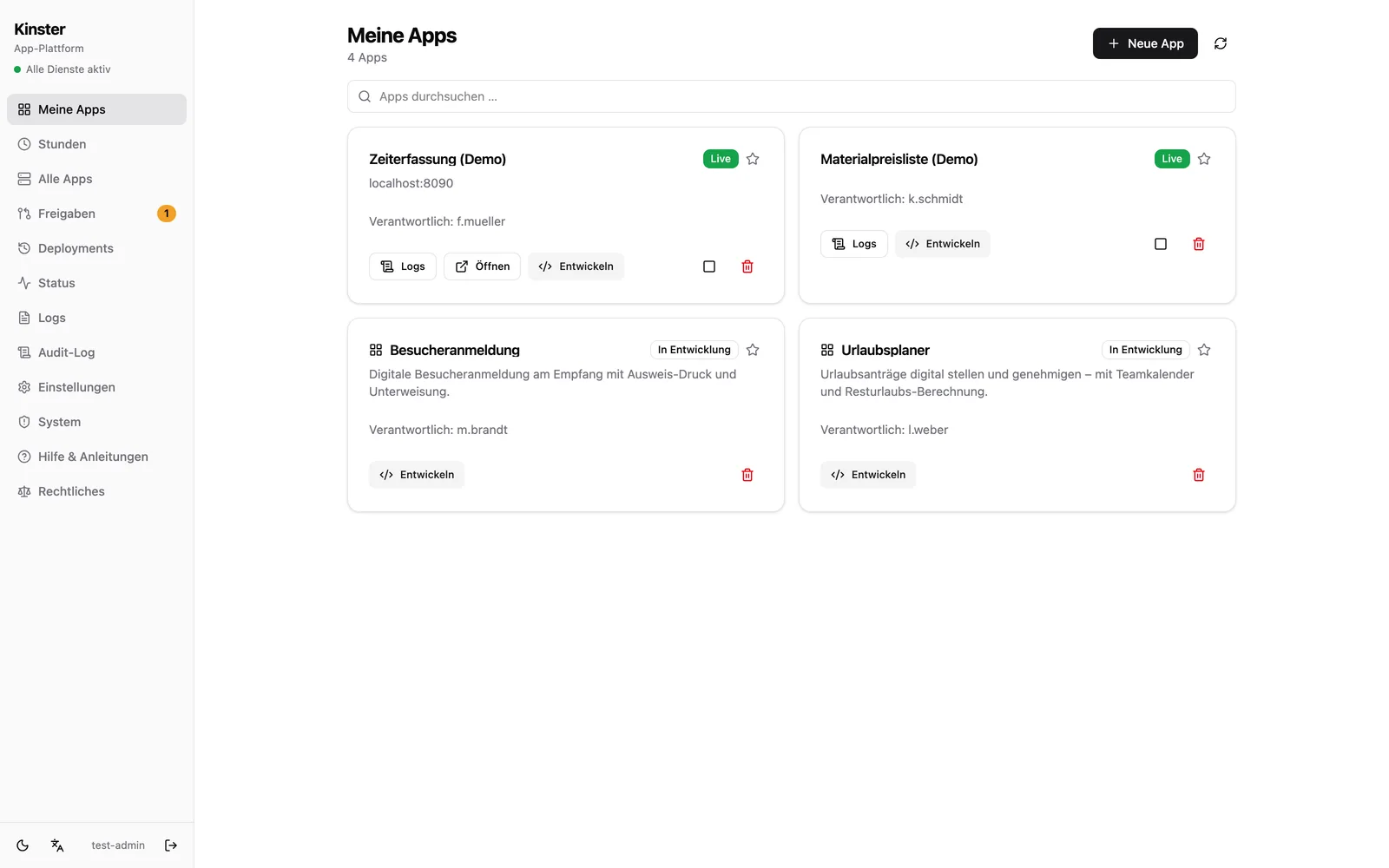
This is exactly the pattern we built Kinster around, our self-hosted app platform: business departments develop their internal web apps with AI support in the browser, every app passes automated checks and a review by needful-apps, and operations including backups and monitoring are part of the package. The department's Excel experience is not devalued but translated into a tool that survives multiple users, real permissions and a Monday morning restart.
Frequently asked questions
What counts as shadow IT?
Any hardware or software operated without the knowledge or approval of IT: Excel files with macros and business logic, private Access databases, unapproved cloud services and increasingly freely used AI tools. What matters is not the tool but that nobody carries responsibility for operations, security and data.
Does that make Excel fundamentally the wrong tool?
No. For personal analysis and ad hoc calculations Excel is excellent. It becomes critical when a spreadsheet turns into a multi-user system: several editors, business logic in macros, processes that departments depend on. Then permissions, versioning, backups and tests are missing, and that is exactly where the process belongs in a real application.
Do business departments lose their independence with a platform?
On the contrary, it becomes official for the first time. On a platform with guardrails, departments keep building themselves, today AI-assisted even faster than in Excel. The difference: login, permissions, database, backups and review are already there, instead of every department improvising them.
How do we get started concretely?
With an inventory (which spreadsheets and databases are business-critical?) and a pilot process that delivers tangible value. Then migrate app by app, not everything at once. In a free initial consultation we are happy to look at your candidates together.